
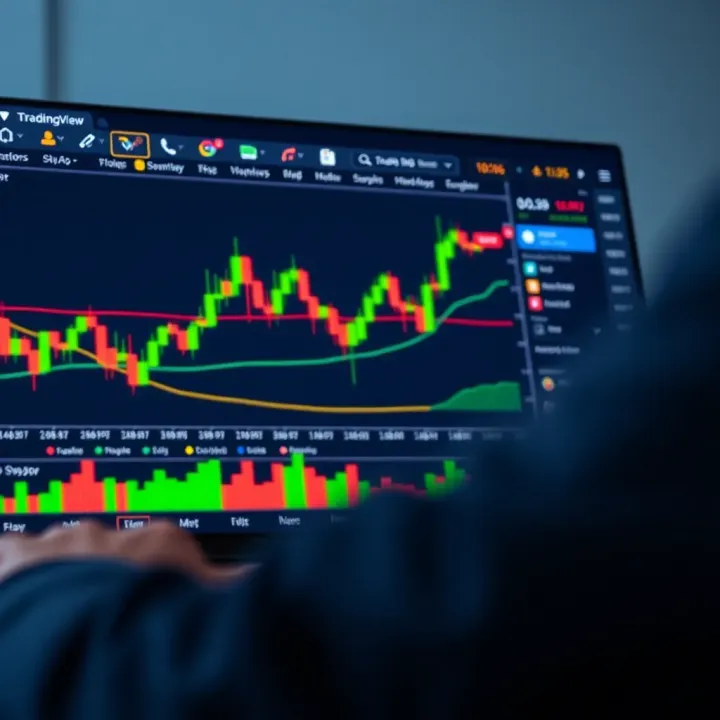
TradingView Guide for Nigerian Traders
Explore TradingView’s tools, plans, and community tips! Boost your Nigerian trading skills with detailed, practical market insights 📈💡
Edited By
Nathan Brooks
Trading in Nigeria has grown rapidly, creating a real buzz among investors and brokers alike. As markets become more complex, having the right tools at your fingertips can make a big difference. That’s where TradingView steps in — a platform that mixes powerful charting, live market data, and a social network of traders sharing ideas.
If you’ve ever felt overwhelmed trying to read price charts or wished you could see what other traders are thinking before making a move, this guide is for you. We’ll break down what TradingView offers and how it fits the African market, tailored specifically for Nigerian traders navigating local and international markets.
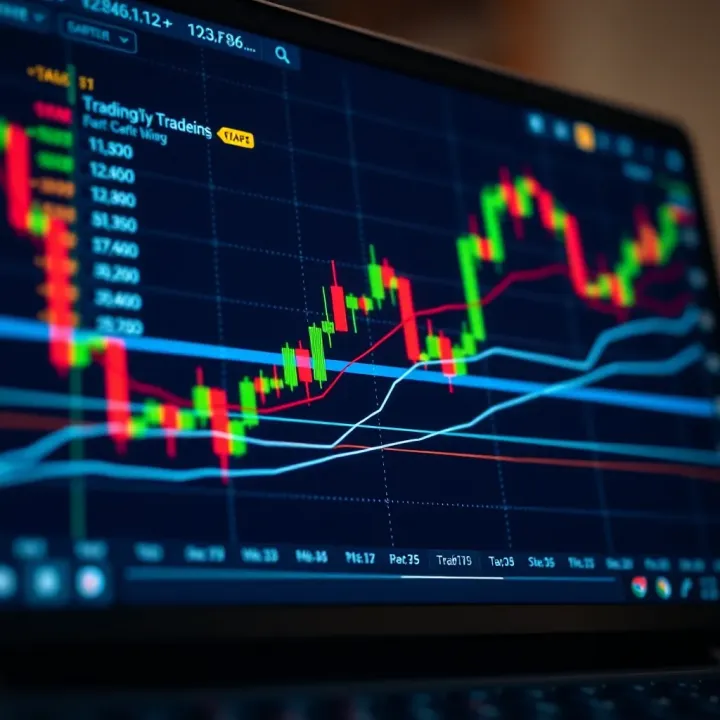
Why bother with TradingView? Because it’s more than just a charting site. It’s a community and a toolkit wrapped in one, well-suited to both beginners figuring out the ropes and pros hunting for an edge. From understanding candlestick patterns to following top traders or catching the slightest market shift, knowing how to use TradingView properly can sharpen your decisions.
The coming sections will walk you through all the major features, tips for maximizing your trading setups, and some practical examples that relate to trading stocks, forex, commodities, and cryptocurrencies popular here in Nigeria. So, whether you’re just starting or looking to step up your game, get ready to dive in and equip yourself with one of the best platforms out there.
TradingView isn’t just a tool, it’s a window into the heartbeat of markets — giving Nigerian traders a platform to connect and compete on a global level.
Let’s get started on turning charts and data into your best trading partners.
TradingView is more than just another charting app—it stands out as a versatile platform for traders and investors aiming to make smarter market moves. For Nigerian traders especially, understanding what TradingView offers can be a game changer in navigating local and global markets efficiently.
At its core, TradingView serves as a hub where traders can access charts, market data, and trading ideas all in one place. It's built to cater to everyone from newbie investors trying their first stock pick to seasoned pros fine-tuning complex strategies. Instead of juggling different software, you get a bird’s-eye view of markets, alongside tools to analyze price action and spot trends.
Imagine trying to catch the best time to buy shares of Nigerian Breweries on the Nigerian Stock Exchange. TradingView’s real-time data and customizable charts help you see whether the price is moving up, down, or sideways — so you can decide when to jump in or hold back.
One major perk is TradingView's seamless accessibility. Whether you're glued to your desktop at home, sneaking a peek on your phone in traffic, or using a tablet at a café, TradingView keeps you connected. Its web-based design means no clunky installs or dreaded updates.
This flexibility fits the Nigerian trading scene well, where internet availability can vary. Traders might start their analysis on a laptop at home, then switch to a smartphone on the go without losing any setup or notes. This cross-platform convenience ensures you never miss a market move.
For local traders, TradingView isn’t just about global giants like Apple or Tesla. It integrates well with Nigeria’s stock and forex markets, offering data from the Nigerian Stock Exchange (NSE) and currency pairs including the naira-dollar rate. This means you can track Afrocentric assets live, with charts updating so quickly it feels like you're standing on the trading floor.
Consider a forex trader keeping an eye on the NGN/USD pair. TradingView’s real-time quotes and alerts let you react swiftly to moves caused by local policy changes or global events which affect the Nigerian economy.
Traditional trading tools in Nigeria might mean relying on look-alike charts found in broker software or manually tracking prices on financial news channels. TradingView steps ahead by mixing technical analysis, social trading, and custom alerts all in one place.
For instance, instead of scanning multiple news sites, you get direct news feeds linked to specific stocks or currencies you follow. Plus, you can peek at ideas shared by other traders within the community, some based right here in Nigeria, which adds local flavor often missing in global platforms.
Quick takeaway: In a market where timing and information mean the difference between profit and loss, TradingView gives Nigerian traders a practical, user-friendly way to stay informed and act fast.
This section paves the way for the upcoming detailed explorations of setting up accounts, using charts, and mastering the tools TradingView offers to the Nigerian trading community.
Setting up your TradingView account is the first step towards making the most of this powerful platform. For Nigerian traders, it’s not just about creating a profile; it’s about tailoring the platform to meet your trading style, market focus, and device preferences. A well-configured account can save you time, reduce errors, and make the entire trading process smoother. Think of it as tuning your car before a race—you wouldn’t expect to win without the right setup.
Getting started with TradingView is straightforward, but understanding the layers beneath can give you an edge. Here's how you can sign up:
Visit TradingView’s website or download the app from your preferred app store.
Click on the "Sign Up" button and enter your email, or use a social login option like Google or Facebook for faster access.
Verify your email by clicking the confirmation link sent to your inbox.
Choose your subscription plan based on your needs.
Signing up is quick, but picking the right subscription plan is what really matters.
TradingView offers a free plan alongside Pro, Pro+, and Premium tiers. The free version is quite generous — it gives access to essential charting tools, some indicators, and limited alerts. It’s well-suited for beginners or traders who sporadically check the market. However, serious traders in Nigeria, especially those dealing with the Nigerian Stock Exchange or Forex pairs like USD/NGN, often find paid plans more fitting.
The differences? Paid subscriptions unlock multiple charts on one screen, more indicators per chart, real-time data from additional markets, and better alert options. For example, a day trader benefiting from Pro+ can place up to 8 alerts and view 4 charts simultaneously. This can be a game changer when following volatile markets like cryptocurrency or the Naira’s forex pairs.
Personalization on TradingView means creating an environment that works for you, not against you. It’s more than aesthetics—it’s about efficiency.
A watchlist tailored to your trading interests lets you jump right into key market moves without sifting through noise. Nigerian traders focusing on local equities like MTN Nigeria or Dangote Cement can build watchlists that prioritize these stocks, alongside international ones. Setting alerts for price levels, indicator triggers, or news events makes sure you’re not glued to your screen but stay informed enough to act swiftly.
One small but vital detail: set your TradingView profile to West Africa Time (WAT). This keeps your charts and alerts synced with the local Nigerian time, so you’re not caught off guard by a midnight trade or news drop in a different time zone.
Also, customizing default layouts—such as choosing candlestick charts by default or saving certain technical indicator combinations—makes your daily login more productive. No need to set up from scratch every time. It’s like having your workspace just how you like it, ready to roll.
By taking the time to customize your TradingView account, you ensure it serves as a reliable partner, adapted to your schedule, preferences, and trading goals. This foundation sets the tone for smart, informed trading decisions ahead.
Understanding TradingView's charting tools is a game changer for anyone serious about trading in Nigeria. These tools help you visualize market movements clearly, spot trends early, and make data-driven decisions rather than relying on guesswork. Their flexibility allows you to mix and match chart types, indicators, and drawing tools to fit your specific strategy, whether you're eyeing the Nigerian Stock Exchange or forex pairs like USD/NGN.
Charts are the bread and butter of any trading platform, and TradingView offers a variety of types to help you see the market in different lights. The line chart is the simplest, connecting closing prices to give a quick sense of direction, which can be great for beginners just getting their bearings.
Candlestick charts, on the other hand, are by far the most popular among traders here because they pack a punch of information in each candle — opening, closing, high, and low prices — allowing you to spot patterns like hammer or engulfing candles quickly. These can signal reversals or continuation of trends.
Bar charts provide similar data but with a less visual emphasis compared to candlesticks, and Point and Figure charts focus entirely on price movements by ignoring time, useful for filtering out market noise.
Picking the right timeframe is like tuning your radio to the right station; it matches your strategy. For example, day traders in Lagos who want quick in-and-out moves might favor 5-minute or 15-minute charts to catch short bursts of volatility.
Swing traders hold for several days or weeks, so hourly or daily charts better suit their needs by smoothing out erratic price swings and revealing broader trends.
Long-term investors looking at stocks like Dangote Cement might eyeball weekly or monthly charts to avoid overreacting to short-term market jitters. The beauty is you can switch between different timeframes fast on TradingView to get both micro and macro views instantly.
TradingView packs tons of indicators, but some Nigerians swear by moving averages, RSI (Relative Strength Index), and MACD (Moving Average Convergence Divergence). These tools don’t just add noise—they help determine the strength and direction of trends or when an asset might be overbought or oversold.
For instance, the 50-day and 200-day moving averages acting as dynamic support or resistance levels are crucial for traders who deal with shares like Guaranty Trust Bank's stock. The RSI can signal when the Naira currency pair is getting too hot or cold in the forex market.
Use indicators smartly; too many can clutter your chart and muddy your judgment.
Drawing trend lines and marking support/resistance levels is like drawing boundaries around the playground — it helps keep your trading within visible limits.
Trend lines connect two or more swing highs or lows to highlight the general direction of prices. A rising trend line under price lows indicates an uptrend, while a descending line touching highs shows a downtrend.
Support and resistance levels are horizontal lines marking where prices have bounced in the past or struggled to break through. For example, if Nigerian Breweries’ stock price repeatedly falls to around ₦50 and bounces, that level is support. Similarly, if it struggles to surpass ₦60, that price forms a resistance.
Identifying these zones helps traders decide entry and exit points, manage risks, and place stop-loss or take-profit orders efficiently.
Effective use of chart types, timeframes, and drawing tools on TradingView can significantly boost your ability to read markets like a pro, even if you're new to trading in Nigeria.
By combining these features thoughtfully, Nigerian traders can tailor charts and analyses that fit their trading style and the local market's pulse, making their efforts much more targeted and successful.
For Nigerian traders, having quick and easy access to accurate market data and timely news is a game changer. TradingView bundles a lot of this info into one handy platform, removing the hassle of hopping between different websites or apps. By knowing what’s happening in real-time and digging into historical prices, traders get a clearer picture to make informed decisions — whether it’s on stocks like Dangote Cement or currencies like the Naira-dollar pair.
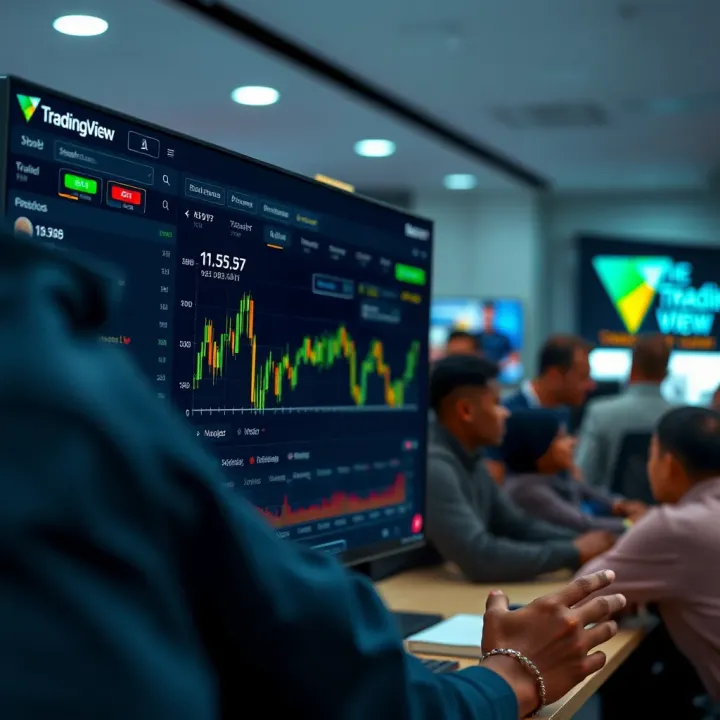
One big question is, does TradingView cover Nigerian markets well? The answer is yes, to a reasonable extent. TradingView provides live and historical prices for the Nigerian Stock Exchange (NSE) and Forex markets, although liquidity and update speed can vary depending on the instrument.
For example, a trader watching the MTN Nigeria stock can view minute-by-minute price changes and compare them against previous months or years easily to spot trends. This historical aspect is gold for spotting seasonal patterns or market reactions to specific events like Central Bank policy announcements.
Using this data for backtesting means you can run your strategies against past market performance without risking actual money. Say you want to see if a moving average crossover strategy works well for WAPCO stock—TradingView lets you simulate trades on historical charts to evaluate if your plan stands up before going live. This practical step cuts down costly trial-and-error and builds confidence.
Good market data is just half the story — knowing why prices move needs fresh news. TradingView integrates multiple news sources including Reuters, Investing.com, and local Nigerian news outlets to provide a steady feed of relevant financial updates within the platform.
This means you won’t miss important headlines about economic shifts, corporate earnings, or political developments affecting the markets. For instance, if the Central Bank suddenly adjusts interest rates, that news will pop up alongside your charts, helping you understand the context behind price moves.
Using news alerts effectively can give you a leg up. Setting alerts for keywords or specific instruments ensures you get notified immediately when something important breaks. This is especially valuable in Nigeria, where market-moving news can arrive at any hour and sometimes catch traders off guard.
Staying plugged into both solid market data and timely news stories allows Nigerian traders to avoid flying blind. It’s like having a weather forecast before you head out—better prepared to handle whatever conditions the market throws your way.
By combining real-time and historical data with a strong news flow, TradingView offers Nigerian traders a powerful toolkit to sharpen their edge and respond to market changes swiftly and wisely.
TradingView isn't just about charts and numbers; it's also a bustling community where traders from all corners of the world, including Nigeria, gather to share ideas, insights, and feedback. Tapping into these social features can take your trading game up a notch by offering perspectives you might not have seen otherwise. Moreover, engaging with a community of traders helps break the isolation that can come with solo trading, making your experience richer and often more profitable.
Finding traders to follow on TradingView is as easy as searching for topics or assets you’re interested in, like "Nigerian stocks" or "forex trading." The platform lets you filter by popularity, recent activity, or even by the style of analysis—whether technical, fundamental, or a blend. Once you spot experienced traders or analysts who post regularly and sound reliable, you can follow them to keep track of their latest ideas and strategies. For Nigerian traders, keeping an eye on those who specialize in AFR100, Nigerian Exchange (NGX), or forex pairs popular locally (like USD/NGN) is especially valuable.
Not all shared ideas are gold, so vetting what you see is important. Look for clear explanations backing the analysis, use of proper indicators, and evidence of past performance where available. A good tip is to cross-check suggested setups with your own study or backtesting on TradingView to see if they make sense within your risk tolerance and style. Pay attention to the community’s reactions too—comments and likes can hint at the idea’s credibility but don’t rely on them blindly. Remember, smart trading is about judging ideas critically, not swallowing them whole.
Sharing your charts and insights not only helps others but sharpens your skills. When you post, aim for clarity: use annotations like trend lines, Fibonacci levels, or indicators to illustrate your points. Nigerian traders might highlight specific market moves—for instance, a breakout in the Dangote Cement stock or a currency fluctuation on the USD/NGN pair—to make posts relatable and timely. Additionally, be candid about your reasoning and risk assumptions. This transparency builds trust and draws constructive feedback, which can improve your approach.
Engagement doesn’t stop at posting; join conversations by commenting on others’ analyses. Ask questions if something isn’t clear or share your viewpoint politely. This two-way interaction enhances learning and can lead to forming valuable connections or mentorships within the TradingView community. For Nigeria-based traders, these discussions can bring localized insights, such as the impact of a Central Bank policy change or local political news on the markets, which may not be as quickly reflected in global sources.
Effective use of TradingView's social features turns a solo trading effort into a community-driven practice, improving knowledge and potentially profits through shared wisdom and collaboration.
By embracing these social tools, Nigerian traders can stay ahead with informed decisions, avoid common pitfalls, and gradually build a solid reputation within the trading community.
Integrating TradingView with brokers and external tools plays a significant role in streamlining the trading workflow for Nigerian traders. By connecting TradingView directly to broker accounts and related software, traders save time and reduce errors from switching platforms. This practical linkage offers real-time order placement, easy data export, and simplified portfolio management without juggling multiple apps. Such integration not only improves efficiency but also helps traders stay on top of market moves and manage risk more effectively.
Nigerian traders can connect TradingView to several online brokers, although the list is somewhat limited compared to global markets. Some widely accepted brokers for Nigerians include Interactive Brokers, FXCM, and OANDA, which support trade execution right from TradingView’s interface. These brokers offer access to multiple markets like forex, commodities, and even international stocks.
Using these connections, Nigerian users can monitor charts and place trades directly without logging into separate platforms. This is a key benefit because it cuts out delays and makes executing trades faster when market conditions change suddenly. For example, a trader watching the USD/NGN forex pair can spot a trend using TradingView’s powerful charting tools and instantly place a buy or sell order with their connected broker account.
Placing trades directly from TradingView means you can:
Save time by avoiding platform switching
Execute orders with precision tapping on charts
Manage multiple broker accounts efficiently
In practice, this direct execution feature depends on having a broker account that's activated for TradingView API connections. Traders should confirm compatibility and access broker customer service to resolve any setup hiccups.
Beyond broker integration, TradingView allows exporting your data and analyses, which is highly useful for Nigerian traders who want to back up work or share insights.
Exporting data and analyses is usually done by downloading chart snapshots, indicator settings, or trading ideas. This data can be saved as images or CSV files, perfect for creating offline records or preparing reports. For example, if you’ve spent time marking key support and resistance levels or running a custom indicator, exporting these saves the effort of recreating the setup later.
This function is particularly handy when internet connections become unreliable or when you want to discuss strategies with trading communities or mentors offline.
Linking with portfolio tracking apps is another handy feature. Many Nigerian traders use apps like Sharesight or StockTrader.ng to keep tabs on their investments. TradingView can export trade data or sync with these apps, allowing a centralized overview of performance, profits, and risk exposure.
Keeping portfolio tracking in line with real-time TradingView data ensures consistency and better decision-making. For instance, spotting a sector downturn on TradingView alerts you in time to check your portfolio exposure through your tracking app.
Combining TradingView with brokers and external tools helps Nigerian traders turn analysis into action swiftly, while also keeping a clear, organized view of their investments.
In summary, tapping into broker integration and external apps enhances your TradingView experience by locking together analysis, execution, and tracking into a smooth, connected process. This approach not only saves time but can also help Nigerian traders be more accurate and confident in their moves.
For Nigerian traders using TradingView, there are some hurdles that regularly pop up, mostly around internet connectivity and getting the most bang for their buck without paying for expensive subscriptions. Addressing these challenges head-on can make a huge difference in how effective and enjoyable your trading experience becomes. Let's look closely at these common issues and practical tips tailored to the realities on the ground in Nigeria.
Internet hiccups are a daily reality for many Nigerian traders. Slow or unreliable connections can cause charts to lag or data to freeze, which isn’t great when markets move fast. TradingView is web-based and can be demanding on data, but there are ways to lighten the load. One trick is to reduce the number of active indicators on your charts since each one consumes bandwidth. Swap out real-time data updates for longer refresh intervals where possible, and avoid opening too many tabs or charts at once. Using TradingView’s mobile app on a 3G network may also be smoother if Wi-Fi is slow.
TradingView doesn't sell poor internet excuses—it's up to us to tweak its settings and way of working to fit our bandwidth realities.
Because internet drops can mess with your live work, getting into a habit of saving your layouts and analysis offline is a lifesaver. TradingView lets you save chart templates and screenshots on your device. Also, consider keeping a local journal of your trade ideas or screenshots for reference when you lose signal. For further security, export your data regularly to CSV files to keep a backup of your analysis outside the platform. This way, network outages won’t derail your trading workflow completely.
Many Nigerian traders start with TradingView's free plan, which limits how many chart layouts or indicators you can save. To get the most out of this, pick your most effective indicators and focus on a few key chart setups instead of trying to track everything at once. For example, combining the Relative Strength Index (RSI) with Moving Averages often gives solid entry signals without cluttering your screen. Also, customize your default chart timeframes—like daily or 4-hour charts—so they load automatically instead of fiddling around each time.
Even on the free version, you can set price alerts and build watchlists, which are powerful tools when used smartly. Prioritize setting alerts on critical levels or key stocks rather than cluttering your notifications with every small price move. This saves data and keeps you focused on trades that matter. Watchlists can be organized by sector or strategy (like "top NSE stocks" or "forex majors"), helping you track opportunities without jumping between screens constantly.
Unlocking the potential of free TradingView features is often about picking your battles—focus on what truly advances your strategy.
By dealing with connectivity hiccups creatively and squeezing the most from free tools, Nigerian traders can enjoy a smoother, more productive experience on TradingView, no matter the challenges at hand.
Keeping your TradingView account secure and managing your privacy settings are essentials you just can't overlook, especially when dealing with financial data and trade strategies. Nigerian traders, like anyone else, face risks like hacking, scams, and data misuse if they don’t take proper precautions. This section digs into how you can protect yourself while using TradingView, ensuring your trading journey stays safe and private.
Using a strong password is your first line of defense. It should be a mix of uppercase and lowercase letters, numbers, and special characters – something that isn’t a birthday or a simple word. But that’s just the start. Activating two-factor authentication (2FA) adds another layer of protection by requiring a code sent to your phone or authentication app whenever you log in. This way, even if someone guesses your password, they’re still locked out without the second factor.
For example, if a hacker tries to access your TradingView account from Lagos to Abuja, 2FA stops them cold unless they have your phone. Setting this up is straightforward in your account settings and worth a few minutes of your time.
Phishing scams often come as fake messages or emails pretending to be TradingView or your broker, asking for login details or personal info. These can look surprisingly convincing, but you should always check the sender’s email and never click on suspicious links. If an email or message pressures you to act immediately or offers something “too good to be true,” it’s likely a phishing attempt.
As a rule, TradingView won't ask for your password or 2FA codes via email or chat. Always log in directly through the TradingView app or the official website rather than links in messages. Staying alert and skeptical about unsolicited communications is key to avoiding these scams.
TradingView is a social platform, so you might share charts, ideas, or analyses with the community. But not all content needs to be public. You can choose to keep your posts private, share only with specific people, or publish publicly. This control is particularly important if you’re experimenting with new strategies or tracking trades that you don’t want competitors or strangers to copy.
To adjust privacy settings, head to your profile settings and tailor who can see your published ideas and comments. For instance, you might limit your watchlist visibility to just friends or close trading partners instead of the entire TradingView community.
Before you start uploading content or connecting your broker account, it's important to understand how TradingView collects and uses your data. Their data usage policy outlines what information they gather, like your trading behavior or which charts you view, and how they use it—mostly to improve services.
As a Nigerian trader, it's wise to review this policy to avoid surprises about data sharing or targeted ads. Make sure you’re comfortable with how your info is handled, and adjust your account settings accordingly. For example, you may disable personalized ads in your privacy settings if you prefer not to be tracked as closely.
Protecting your online trading presence isn't just about keeping passwords safe—it’s about taking control of your information and understanding the digital environment you're operating in.
By thinking ahead and using the security and privacy features TradingView offers, Nigerian traders can significantly reduce risks. This lets you focus on what really matters: making smarter trades and building your portfolio with confidence.
Developing a solid trading strategy is a must if you want to make the most out of TradingView's powerful features. Nigerian traders often face volatile markets, so having a clear approach backed by proper tools can make a real difference. This section covers practical advice to shape your trading plan using TradingView’s platform — from picking the right indicators to testing your strategies before committing real funds.
Selecting indicators that fit your style is more than just picking the popular ones like RSI or MACD blindly. Each trader’s approach is different – some look for momentum, others focus on trend following or volume changes. For example, if you're a day trader focusing on short-term moves on NSE stocks, faster indicators like the Stochastic Oscillator or moving averages set to shorter periods might suit you better. Swing traders might lean more on trend indicators like the Average Directional Index (ADX).
It’s important to understand what each indicator measures and whether it complements your trading timeframe and style. Trying to force an indicator that doesn’t sync with your strategy usually just leads to confusion.
Avoid jumping on all the shiny indicators TradingView offers. Instead, choose two or three that give you clear signals. Combining too many indicators can clutter your charts and send mixed messages.
Avoiding indicator overload is crucial because many newcomers believe more means better. Imagine staring at a chart cluttered with 10 different oscillators and moving averages that don’t agree — it’s like trying to listen to ten radio stations at once. That noise can spoil your judgment.
Limit your tools to the essentials. For instance, if you use RSI to spot overbought or oversold areas, pairing it with volume analysis might be enough. Overcomplicating setups slows down your decision-making and increases the risk of analysis paralysis. The key is simplicity and clarity.
Testing strategies before risking real money is a step you can't skip, especially with Nigeria's sometimes unpredictable market conditions. Backtesting allows you to see how your approach would've performed historically with real market data on TradingView. This helps identify flaws and improve timing without losing cash.
For example, if your strategy involves buying when the 50-day moving average crosses above the 200-day, backtesting will show you if this actually works on Nigerian stocks like Dangote Cement or Access Bank shares over the past few years. A strategy might look good on paper but fail due to local market quirks or rare events.
Using TradingView’s paper trading feature gives you a risk-free playground to execute trades based on live data without any real money involved. You can try out setups, practice risk management, and get familiar with order execution.
This is practically a simulator where your decisions generate a fake portfolio that mirrors real trading. Say you're testing intra-day trades on FX pairs like USDNGN — paper trading helps you build confidence, check order types, and handle slippage issues before moving into live markets.
By following these tips and making full use of TradingView's tools, Nigerian traders will be better equipped to build strategies that suit their goals and market realities. It’s all about wise choices, careful testing, and using the platform’s features smartly to avoid costly mistakes.
Knowing the ins and outs of TradingView's pricing plans is a must for any Nigerian trader looking to make the most of the platform. Each membership level offers different perks tailored to various trading needs and budgets. This section will break down these tiers clearly, helping you weigh your options based on what you need, how you trade, and how much you're willing to spend.
The free TradingView plan is a solid starting spot, especially if you’re just dipping your toes into charting and analysis. However, it comes with some tight restrictions that might crimp your style as you grow more serious. For instance, with the free plan, you get access to only one chart per tab and can use just three indicators on a single chart.
In practical terms, that means if you want to monitor multiple stocks or forex pairs simultaneously, or use a complex combo of tools like Moving Averages, RSI, and MACD all at once, you’ll hit a wall. Plus, the free plan does not allow access to premium indicators or intraday saved layouts, which are critical for those tracking fast-moving markets like the Nigerian Stock Exchange or foreign exchange.
Still, many beginners find this plan useful to familiarize themselves with the platform, test basic market strategies, and build watchlists. Just keep in mind that as your trading strategy becomes more sophisticated, you might soon outgrow the free plan.
TradingView’s paid options offer a step-up in power and flexibility. The Pro plan removes many free plan restrictions, such as allowing up to five indicators per chart and multiple charts per tab. You also get access to real-time data on all supported exchanges—something crucial if you're tracking NSE or global markets closely.
The Pro+ plan takes it further by increasing the number of watchlists you can maintain and unlocking alert options that support more complex conditions. This is valuable for traders who want to stay nimble and react quickly without being glued to the screen all day.
Finally, the Premium plan is the full business class, offering up to 25 indicators on a single chart, the ability to set unlimited alerts, and priority customer support. This plan also allows for exporting charts, which can be handy for analysts preparing client reports or detailed strategy breakdowns.
For Nigerian traders, choosing among Pro, Pro+, and Premium really comes down to how intense your trading routine is, and whether you need features like multiple device access or complex alert systems.
Before jumping into a paid plan, ask yourself how often you're trading and which features you really need. If you mostly trade mid- or long-term positions and only watch a few stock charts, the Pro plan might be enough. But if you engage in day trading or scalp forex pairs, the extra indicators and alert options in Pro+ or Premium will be a big help.
Also, think about how much time you actually spend on TradingView. There’s no point paying for a Premium membership if you barely log in or only keep an eye on one or two symbols. Taking advantage of free trials or monthly subscriptions can be a smart way to test drive before committing for a year.
Subscription fees are in US dollars, which can feel steep given the exchange rate fluctuations here in Nigeria. Yet, the benefits often justify the cost when you consider the enhanced features.
For example, real-time data on multiple exchanges or advanced alert systems could save you significant money by catching a big trade or avoiding a bad one. In contrast, using free tools with delayed data or limited insights might cause missed opportunities.
Think about it like this:
Pro plan costs less but unlocks essential tools many traders need.
Pro+ and Premium add more bells and whistles, but only pay off if you fully use them.
Balancing the subscription cost against how it boosts your trading edge will help avoid burning cash on features you don’t use. Also, watch out for local payment options and periodic discounts to get the best deal.
Ultimately, understanding each tier's price and benefits helps Nigerian traders pick the best fit—not just by price tag, but by what genuinely improves their trading game.
Wrapping up, this guide has covered the nuts and bolts of TradingView tailored specifically for Nigerian traders. Understanding the platform’s features, how to integrate it with local markets, and navigating its social and analytical tools are fundamental steps toward smarter trading. The conclusion isn't just to close the discussion but to encourage ongoing learning and practical application.
Trading in Nigeria comes with its unique twists due to market access, internet challenges, and regulatory factors. Knowing how to use TradingView effectively gives traders an edge—whether you’re looking to analyze Nigerian stocks, forex pairs like USD/NGN, or commodities. Now, let's turn to specific takeaways and actionable steps that Nigerian traders can put into practice.
TradingView shines because it's straightforward yet powerful. For someone just starting, it's important to focus on mastering the basic chart types like candlestick and line charts. Experiment with timeframes that suit your trading style—day traders might prefer 5 or 15-minute charts, while swing traders could lean on daily or weekly charts.
Alerts are a feature often overlooked. Setting price alerts for Nigerian stocks or forex pairs means you don't have to stare at the screen all day but still catch important moves. Also, don’t get overwhelmed with too many indicators at once. Pick a couple that really fit your strategy—MACD, RSI, or Moving Averages are good starting points.
TradingView offers a bridge between global markets and local realities. The platform supports a range of Nigerian brokers like GTBank Securities and Meristem, allowing you to execute trades seamlessly. Plus, the community aspect lets you tap into ideas and analyses from fellow Nigerian traders who understand local market quirks.
Another big plus is its affordability and scalability. The free plan gives decent tools for beginners, and if you want to upgrade, the paid plans offer advanced charting and alerts without breaking the bank. For Nigerian traders facing limited internet speeds, TradingView’s cloud-based platform performs better than many traditional software options that rely on heavy downloads.
To keep sharpening your skills, consider sources like Investopedia for fundamentals, or Nigerian platforms like Nairametrics and Business Day for market news. TradingView’s own published ideas and community scripts are also priceless. Spend time browsing charts and ideas posted by Nigerian traders; it’s like free coaching.
Books like “Technical Analysis of the Financial Markets” by John Murphy provide solid background if you want to dive deeper. Also, joining Nigerian trading forums or WhatsApp groups can connect you with peers and mentors.
Paper trading on TradingView is hands down the best starting point—practice your strategy with no risk. Try simulating trades on popular Nigerian stocks or forex pairs, then review what worked or didn’t in your notebooks. Set small, measurable goals, like identifying support and resistance levels on three different stocks every week.
Also, don’t be shy about making mistakes during practice; that’s where learning happens. Gradually incorporate new indicators or switch timeframe to see how your strategy behaves. Consistency beats intensity—trading regularly, even in small amounts, builds skills better than rare big attempts.
Remember, the goal isn't just to learn every tool but to build confidence in making clearer decisions. TradingView provides the canvas, but the brushstrokes come with experience and education.
Explore TradingView’s tools, plans, and community tips! Boost your Nigerian trading skills with detailed, practical market insights 📈💡
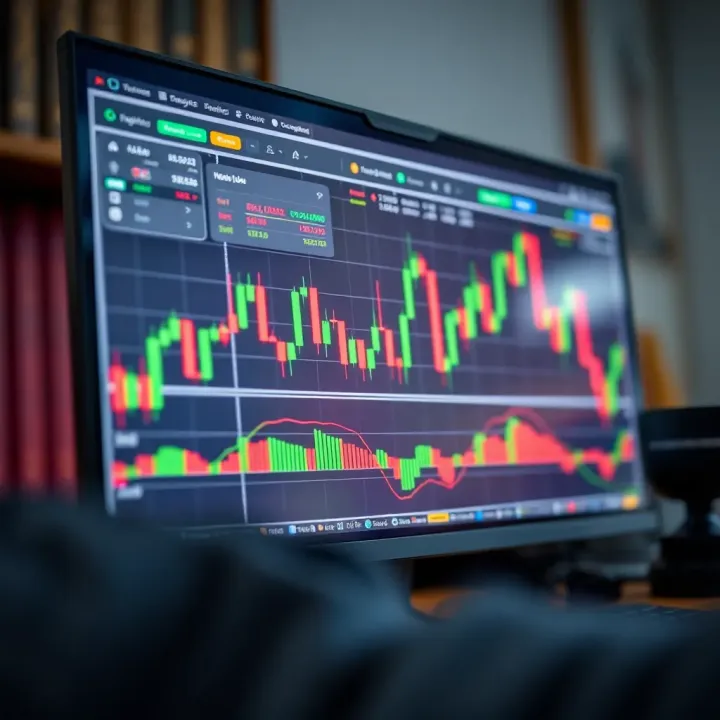
Explore TradingView's powerful charts 📊 and tools tailored for Nigerian traders 🇳🇬. Learn subscription options, community insights, and top tips to succeed!
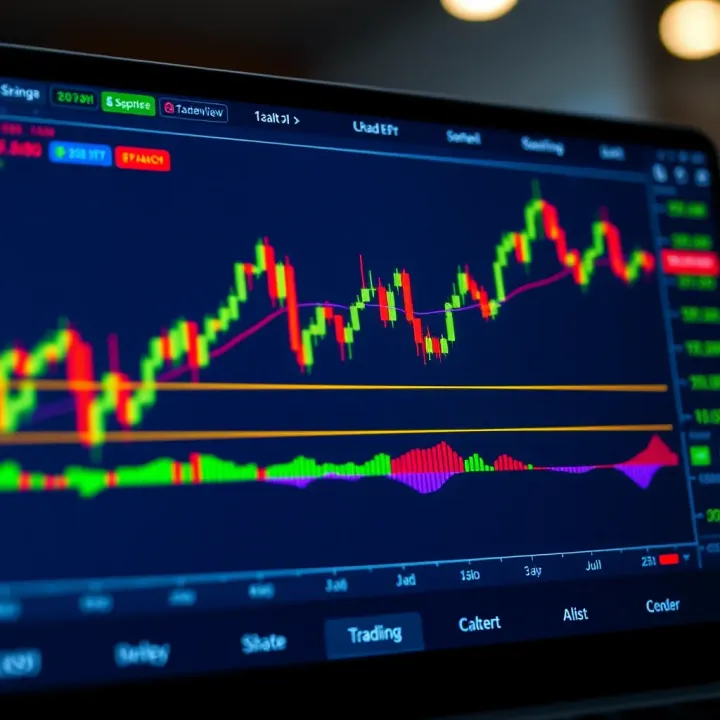
Explore TradingView's features for Nigerian traders 📈. Learn charting, market data access, community connections & plans for improved trading.
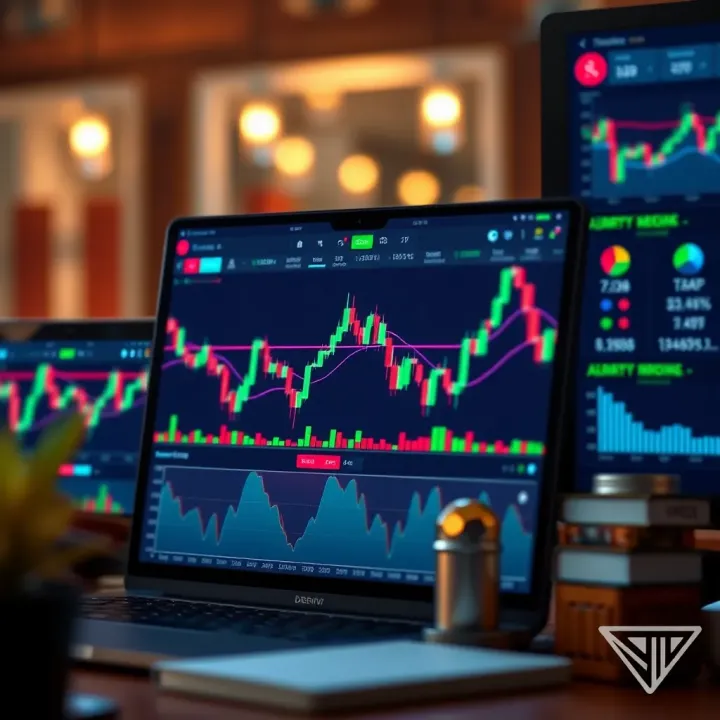
📈 Discover how Nigerian traders can combine TradingView charts with Deriv's platform to sharpen strategies, spot trends, and make smarter trades.
Based on 12 reviews