
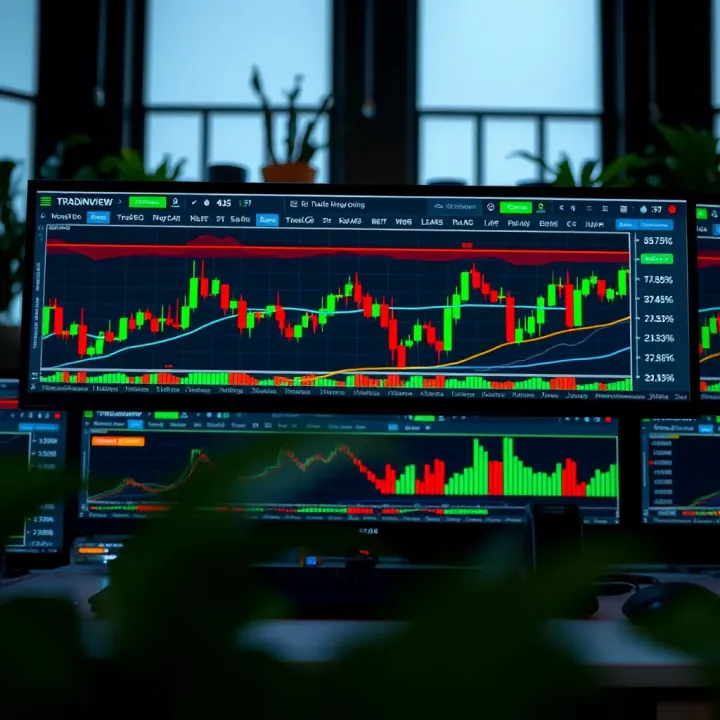
Using TradingView with Deriv for Smarter Trades
📈 Learn how Nigerian traders can combine TradingView’s charts with Deriv's platform for sharper market analysis and smarter trading decisions.💹
Edited By
Isabella Foster
Trading in today's fast-paced markets requires more than just luck—it demands sharp tools and smart insights. For traders in Nigeria, marrying the strengths of TradingView and Deriv can offer a solid edge. TradingView, known for its rich charting capabilities and social trading features, pairs nicely with Deriv's accessible and diverse trading platform.
This guide lays out how these two platforms work hand-in-hand to make your trading sharper and more informed. We'll walk you through why combining them can refresh your trading strategy, plus practical steps on setting up and using these tools together effectively. Whether you’re new to trading or looking to refine your approach, understanding this combo can help you make moves with more confidence and clarity.
Smart trading isn't about guessing the market—it's about having the right tools in your hands to read the signs clearly.
Let’s break down the main points you’ll learn:
Overview of TradingView’s key features and what makes it popular among chart enthusiasts
An insight into Deriv’s platform and the types of trading it enables
How to set up and link TradingView with Deriv seamlessly
Practical tips for using both platforms together in real trading scenarios
By the end, you'll see how this combo not only simplifies analysis but also tightens your decision-making process, potentially improving your trading results in Nigeria's dynamic market environment.
To kick things off, it’s important to get a solid grip on what TradingView and Deriv each bring to the table. Both platforms offer different strengths, and understanding these will set you up to trade smarter. Think of TradingView as your high-powered pair of binoculars for scanning the market—full of charts and tools. Deriv, on the other hand, is the playground where you put those insights to use by making real trades.
Getting familiar with their features and how they operate makes a big difference, especially for traders in Nigeria who want to navigate market swings more confidently. It’s not just about using the platforms individually but seeing how combining TradingView’s deep technical analysis with Deriv’s flexible market options can improve your overall decision-making.
TradingView is a charting and social networking platform trusted by millions worldwide. What makes it stand out is its massive library of customizable charts and technical indicators. Whether you want simple line charts or complex candlestick patterns, TradingView has it. For example, Nigerian traders can track currency pairs like USD/NGN or global commodities with ease.
It also has a social edge where traders share ideas, setups, and signals—a helpful feature if you’re looking for a bit of crowd wisdom. Plus, it works right in your web browser, no heavy installs needed. This ease of access is invaluable for traders juggling transactions on the go or from less-than-perfect internet connections.
Technical analysis thrives on patterns and data; TradingView delivers this in spades. It offers built-in tools like Moving Averages, RSI, and MACD, which help spot trends or overbought/oversold conditions. You can even customize or write your own indicators with Pine Script for a truly tailored approach.
For instance, by setting alerts, you won’t miss when a currency pair crosses a key threshold. This proactive feature allows Nigerian traders to respond quickly without staring at the screen all day. TradingView essentially helps traders take a measured, informed approach rather than guessing blindly.
Deriv offers a wide range of markets, including forex, commodities, indices, and synthetic indices, appealing to diverse trading strategies. On top of that, it has options like CFDs and multipliers which can fit short-term trades or longer plays depending on your style.
For Nigerian traders, this is handy because it provides access to global markets from home. The platform supports trading on assets like gold, oil, or even volatile stocks, allowing you to diversify beyond what local markets offer.
Deriv is designed with user-friendliness in mind. The interface avoids clutter while providing enough detail to manage trades efficiently. Features like one-click trading and clear real-time price quotes simplify the process, especially for newcomers.
Trading options on Deriv are also designed with flexibility. You can set stop losses and take profits or try the multipliers to amplify potential gains (though these come with higher risk). The platform seamlessly integrates various order types so Nigerian traders can tailor their trades based on the analysis they did on TradingView.
Combining TradingView's advanced charting with Deriv's straightforward trading options allows for a smooth path from analysis to execution, helping traders make decisions with confidence and speed.
Using TradingView and Deriv together isn't just about stacking tools; it's about creating a well-rounded trading experience. Traders in Nigeria, especially, can gain a leg up by tapping into TradingView’s detailed charts and technical indicators alongside Deriv’s dynamic trading environment. This combo is practical because TradingView offers deep insight into market trends, while Deriv provides the means to act on those insights quickly and efficiently.
Imagine spotting a bullish reversal pattern on TradingView and then immediately placing the trade on Deriv without having to switch platforms or lose precious seconds. That's the kind of fluency this pairing allows. For traders aiming to make smarter, timely decisions, merging these platforms is a smart move.
TradingView stands out for its powerful charting abilities and wide array of indicators and drawing tools. For Deriv traders, these features mean they can analyze markets with more precision than what Deriv’s built-in charts might offer. You can customize charts, apply multiple indicators simultaneously, and spot subtle market signals.
For example, a trader could use TradingView to set up custom Ichimoku clouds combined with RSI and volume indicators, which might not be possible directly on Deriv. This level of analysis helps reveal potential breakout points or reversals that simple charts might miss. The visual clarity and depth of TradingView’s interface give Nigerian traders a leg up in spotting trends early.
TradingView gives you the lookout, but Deriv handles the action. Once you’ve gathered your insights, Deriv’s platform lets you execute trades quickly, with a straightforward interface designed for both binary options and forex markets. Its speed and reliability are crucial when you want to act on signals generated from TradingView.
For instance, while monitoring a possible trend continuation on TradingView, you can hop into Deriv’s platform to set a precise stop-loss order or execute a market order without delay. The integration, whether manual or through APIs, streamlines the process. That effortless transition from analysis to trade reduces missed opportunities and improves overall efficiency.
Having TradingView alongside Deriv equips traders with a broader vantage point. TradingView's global market data and community-driven ideas offer perspectives you won’t always catch using Deriv alone. You can see how different markets interrelate or check what indicators other traders are using in real-time.
This extra layer of information allows Nigerian traders to cross-check assumptions and reduce guesswork. For example, while Deriv shows you current prices and volatility, TradingView helps detect underlying momentum shifts or divergences that could indicate an impending move.
With enhanced insights and smooth trade execution, the decision-making process becomes more confident and less hectic. Instead of scrambling between fragmented tools, traders get a clearer, more connected workflow.
You’re able to spend time on strategic analysis instead of technical fiddling. This improvement can cut down impulsive decisions or missed signals, leading to better risk management. Nigerian traders can tailor alerts on TradingView for specific price levels or indicator changes and then set up precise stop-loss or take-profit points on Deriv to match those signals.
In trading, timing and insight matter just as much as the tools you rely on. Combining TradingView’s robust analysis with Deriv’s quick execution gives you a workable edge in a fast-moving market.
This partnership doesn’t just add features — it sharpens your entire approach to trading.
Setting up TradingView alongside Deriv is a critical step for traders wanting to combine the best of both worlds — advanced charting plus smooth trade execution. For Nigerian traders especially, where market conditions can vary and speed matters, ensuring the two platforms work hand-in-hand can save you time and help you make smarter moves. This section breaks down the nuts and bolts of setting up TradingView accounts and linking them to Deriv’s interface, so you get straight to analyzing and trading without unnecessary hiccups.
Getting started with TradingView is straightforward but worth doing carefully. Visit TradingView’s homepage and hit the sign-up button. You’ll typically need to provide an email, create a username, and set a solid password. Quick tip: use a professional-sounding username because if you decide to join TradingView’s community discussions or publish ideas, credibility counts. After signing up, verify your email to activate the account fully.
This simple step is crucial because all your charts, saved layouts, and alerts rely on this account. For instance, if you’re tracking Naira pairs or Commodities like Gold CFDs on Deriv, having your TradingView workspace synced and accessible anytime becomes non-negotiable for efficiency.
TradingView offers several plans, ranging from free to premium subscriptions. While the free plan lets you access basic charts and indicators, it limits the number of charts you can open simultaneously and access to some advanced features like multi-timeframe analysis or enhanced alerts.
For traders working with Deriv, especially those focusing on fast-moving markets like forex or synthetic indices, investing in at least the Pro or Pro+ plan can be worthwhile. These plans allow multiple chart layouts, more indicators per chart, and real-time data that reduce lag parts in your analysis. Not to mention, you get better customer support and fewer ads.
Consider how often you trade and what markets you focus on. For example, a swing trader working the forex market might not need the premium level, whereas a day trader executing multiple trades might find the paid plans more cost-effective in the long run.

Integrating TradingView with Deriv usually means setting up a workflow where charts on TradingView inform your trading decisions on Deriv, but seamless direct trade execution from TradingView to Deriv isn’t fully automated yet. However, traders often use these approaches:
Manual Setup: Analyze markets and set alerts on TradingView, then execute trades manually on Deriv.
Using Browser Extensions or Bots: Some third-party plugins claim to link TradingView signals to Deriv’s platform, but caution is advised here because reliability, security, and compliance vary.
The key takeaway is that while TradingView excels at providing detailed market insights, Deriv remains the execution platform. Keeping the two open side-by-side and syncing your watchlists and alerts lets you maximize the strengths of both.
Create and customize your TradingView charts: Pick the markets you’re interested in (like Forex:EURUSD or Commodities:Gold) and add technical indicators relevant to your strategy.
Set price alerts on TradingView: Use their alert function to notify you by email or app notification when specific price levels or indicator signals occur.
Open your Deriv account and log in: Ensure your account is verified and funded.
Keep both platforms open: When your alert triggers, quickly switch to Deriv’s interface.
Review the live market conditions on Deriv: Cross-check the data with what you saw on TradingView.
Place your trade manually on Deriv: Enter your buy or sell orders as per your analysis.
Remember, no matter how slick your setup is, always double-check before hitting the trade button — unexpected market moves happen.
By mastering this setup, you build a reliable bridge between thorough analysis and execution, minimizing decision lag while preventing rash trades based on partial info. Nigerian traders dealing with spotty connections or slower desktops will find that this step-by-step approach also helps them avoid costly mistakes.
This basic guide is the foundation of smarter trading with TradingView and Deriv — once set, you can move on to sharpening your chart analysis, refining strategies, and managing risk more confidently.
Chart analysis is one of those bread-and-butter skills every trader needs, especially when working with platforms like Deriv. TradingView brings a powerful set of tools to the table, allowing traders to really get under the hood of price action and market trends. Mastering these charting tools means you don’t just follow the markets—you understand them better, spotting setups or warning signs sooner than if you were eyeballing raw numbers alone.
Take, for example, watching a currency pair like USD/NGN. Without solid chart skills, you might miss crucial swing points or consolidation zones. TradingView’s charts, packed with indicators and drawing tools, help to mark those zones clearly. When combined with Deriv’s quick trade execution, you get a solid workflow: see the signal, act on it fast. This synergy makes traders smarter, not just busier.
Many traders on Deriv rely heavily on tried and true indicators for insight. Among the crowd favorites, you’ll find the Relative Strength Index (RSI), Moving Averages (simple and exponential), and the MACD (Moving Average Convergence Divergence). These are beloved because they strip down complex price data into simpler signals.
RSI gives clues about overbought or oversold conditions, meaning it can hint at a possible price reversal.
Moving Averages smooth out noise and help identify the direction of the trend.
MACD is great for gauging momentum and possible trend shifts.
For a Nigerian trader, spotting when the Naira's volatility spikes or drops can be crucial for timing. These indicators can be applied directly on TradingView charts to spot such changes early.
TradingView stands out because it doesn't force you into a one-size-fits-all approach. You can tweak periods, colors, calculation methods, and even combine multiple indicators to fit your strategy. For instance, if you think a standard 14-day RSI isn't cutting it for the faster-moving forex pairs you trade on Deriv, you could switch to a shorter period, say 7. This adjustment might catch earlier signals better, though it’s a tradeoff because shorter periods can be noisier.
Plus, TradingView lets you stack indicators on top of one another or create custom formulas using Pine Script if you’re feeling adventurous. But even basic changes like adjusting the indicator settings for different markets or session times pay off big by making sure your analysis fits your specific style and the market you're trading.
Trend lines, channels, support and resistance zones—these are not just lines on a chart but crucial decision-making guides. With TradingView's drawing tools, you can easily sketch these right on your Deriv charts. A good rule of thumb: if price respects a trendline multiple times, it’s probably meaningful.
For example, when trading crude oil contracts on Deriv, you might notice the price bouncing off a channel boundary several times. Drawing this channel helps visualize where the price might head next. Sometimes, the simplest line connecting the lows or highs tells you more than any indicator could.
Markets don’t wait, and neither should you. TradingView’s alert system lets you set notifications based on price levels, indicator values, or even custom conditions. This means you don’t have to babysit your screen all day. Say you want to jump in when GBP/USD crosses a 1.30 mark or when the MACD line crosses above its signal line—set an alert and relax.
Alerts act like your personal sentries, keeping an eye on the charts so you don’t have to. When price hits your target, you get a ping on your phone or email, letting you react promptly without missing the boat.
Putting these tools together—indicators, drawings, and alerts—turns casual chart watching into a focused, effective trading routine. That’s the kind of smart chart mastery that lifts your trading game with Deriv and TradingView.
Integrating TradingView’s charting power with Deriv’s execution platform gives traders a solid edge when crafting strategies. Understanding how to leverage data insights enables better timing and informed moves that can sway your trades towards profit. The combined environment helps traders not just analyze, but act swiftly according to market signals.
One of the bread-and-butter approaches on TradingView paired with Deriv is trend following. This strategy rides the momentum of an asset by identifying clear upward or downward price moves. Using TradingView, traders can spot trends early through indicators like the Moving Average Convergence Divergence (MACD) or Exponential Moving Averages (EMAs). For example, if the 20-day EMA crosses above the 50-day EMA, it might signal an uptrend, prompting traders on Deriv to go long.
Trend followers avoid predicting when reversals happen; instead, they stick with the wave until signals suggest a turn. This method suits Deriv’s quick trade execution, helping traders jump on sustained movements without hesitation. Regularly monitoring these trends on TradingView and swiftly placing trades on Deriv keeps you aligned with the market’s pulse.
Unlike trends, range trading capitalizes on price bouncing between defined support and resistance levels. TradingView’s drawing tools make it straightforward to mark these zones and watch for price tests and rebounds. Nigerian traders can use this to execute buy orders near support and sell near resistance.
For instance, if the price keeps hitting 1.3500 as resistance but bounces off 1.3400 as support, traders can go short at resistance and long at support. On Deriv, this means setting timely trades that benefit from predictable reversals within the range. Range trading works well in stable markets where price trends aren’t dominant, adding flexibility to your trading toolkit.
Risk is no joke in trading, and TradingView’s visualization tools help you keep an eye on it closely. With alert functions, you can get notified when an asset hits a certain price or indicator level, letting you control exposure without staring at the screen all day. For example, setting alerts on key Fibonacci retracement levels or RSI extremes helps you spot potential reversals early.
Additionally, TradingView’s real-time data and sentiment analysis aid in spotting volatile moves that might spike risk. Recognizing when market conditions are shifting helps adjust positions on Deriv accordingly, avoiding surprises that burn your capital.
Once you identify entry points using TradingView insights, managing your downside is next. Deriv’s platform enables setting stop-loss and take-profit orders easily, letting you cap losses and lock in profits automatically. For example, after buying a currency pair near support, you can place a stop-loss just below the support level to minimize damage if the price breaks down unexpectedly.
Take-profit orders help solidify gains without second-guessing. Combining TradingView’s price targets derived from technical patterns with these orders keeps your trades disciplined. This blend of tools fosters smart exits, crucial for surviving and thriving in the fluctuating markets.
Smart traders know that good strategy is half the battle; the other half is managing risk. Using TradingView’s insights to guide strategy and Deriv’s features to enforce discipline builds a practical trading framework that works, even in unpredictable markets.
Together, TradingView and Deriv offer Nigerian traders a strong approach to planning, executing, and protecting trades, turning data into actionable moves that count.
Navigating the trading landscape in Nigeria can be a bit tricky due to local market nuances and infrastructure challenges. That’s why practical tips tailored for Nigerian traders using TradingView and Deriv are vital. These pointers bridge the gap between platform capabilities and local realities, making your trading experience both smoother and smarter.
Trading in Nigeria means contending with a mix of markets that sometimes behave differently compared to global ones. For instance, local currency fluctuations against the dollar or euro can impact your trades, especially if you’re dealing with forex on Deriv. It’s important to keep an eye on fiscal policies and political events that tend to sway the market here more noticeably than elsewhere.
A good practice is to pair TradingView’s global market data with local news feeds or economic calendars focusing on Nigerian developments. For example, when the Central Bank of Nigeria announces a policy rate change, that event can spark swift market moves. Recognizing this helps you adjust your charts and indicators in TradingView accordingly, preventing nasty surprises.
Internet speed and stability remain hurdles for many traders in Nigeria, affecting real-time data accuracy and trade execution. To tackle this, consider:
Choosing ISPs known for better consistency in your specific area rather than just the highest advertised speeds.
Using wired connections whenever possible instead of relying on mobile data alone.
Adjusting TradingView settings by reducing data refresh rates or disabling non-essential indicators, which lightens the load on your connection.
Additionally, Deriv’s platform is fairly optimized for varying connection speeds, but temporary lag might still hit during peak hours. Timing your trading sessions during off-peak internet usage times can help reduce latency issues, ensuring your orders are processed promptly.
Connecting with fellow Nigerian traders can be a tremendous asset. Local forums and social media groups centered around TradingView and Deriv provide a space to share tips, discuss strategies, or troubleshoot issues unique to the Nigerian environment. Platforms like the Deriv Traders Facebook group or niche Telegram channels are buzzing with activity.
Engaging actively not only keeps you plugged into local sentiment but also exposes you to practical advice—like alternative brokers or local regulations updates—that might not be obvious from international content alone.
With the trading world evolving fast, continuous learning is your best ally. Luckily, there’s a wealth of tutorials available specifically for TradingView and Deriv, including YouTube tutorials, webinars, and user manuals.
Look for Nigerian educators or content creators who understand local challenges and markets. They tend to offer content tailored to your reality—be it managing Naira volatility or navigating financial regulations.
Here’s a quick tip: try combining video tutorials with hands-on practice on Deriv’s demo accounts. This way, you can test TradingView analyses in real-time without risking capital, building your confidence step by step.
Trading isn’t just about tools; it’s about how well you adapt and apply what you learn within your own trading environment.
By focusing on these practical tips and leveraging local resources, Nigerian traders can squeeze more juice out of TradingView and Deriv, turning good setups into solid wins.
Encountering snags while integrating TradingView with Deriv is something many traders face, especially when juggling real-time analysis and execution on different platforms. Knowing how to troubleshoot common problems not only saves time but also keeps your trading sharp and responsive. By addressing connection glitches, data lags, or feature limits early, you avoid costly mistakes that can arise when your tools aren't in sync or fully functional.
Sometimes, the link between TradingView charts and Deriv’s trading interface stumbles. This usually happens due to temporary server issues, slow internet connections, or errors in API keys. The practical fix often starts with a simple reload of both platforms to refresh the connection. If you’re still stuck, double-checking the API or the integration setup — including ensuring your API key is current and entered correctly — is crucial. Occasionally, clearing your browser’s cache can resolve lingering sync problems too.
For example, a trader in Lagos once reported delayed price updates. After addressing browser cache and confirming API status on both ends, his charts and trading actions got back on track swiftly.
Data delays can seriously throw you off, especially when markets move fast. TradingView depends on real-time feeds, but sometimes lags occur due to local network speeds or server strain on either platform. To minimize these delays:
Use wired internet connections whenever possible, avoiding WiFi interruptions.
Close unused applications eating up bandwidth.
Opt for TradingView’s lower-data-intensive chart types if your connection is unstable.
A handy tip is to keep an eye on the "last updated" timestamp on your charts — if it’s behind, refreshing the page might be necessary. In some cases, switching to a different server region within Deriv settings can improve responsiveness.
While TradingView offers a wealth of charting tools, some features require paid subscriptions. Free users might find themselves limited to fewer alerts or a smaller number of indicators on a single chart. This can affect Nigerian traders who rely heavily on multiple technical indicators simultaneously.
To navigate these restrictions:
Prioritize must-have indicators for your strategy instead of piling too many.
Consider a basic paid plan like TradingView Pro, which still won’t break the bank but unlocks more efficient tools.
Use TradingView's public scripts and community tools which offer some free customizable indicators to enhance your analysis.
Awareness of these limits lets you plan your chart setup around what’s available, avoiding frustration during live trading.
Deriv, while versatile, has its quirks too. Users may find specific trading instruments or expiries not directly supported through TradingView integrations. Additionally, features like advanced order types may be limited compared to other brokers.
Traders should:
Regularly review Deriv’s trading conditions, as updates can add or remove functionality.
Use Deriv’s native tools alongside TradingView analysis to cover any gaps in order execution.
Reach out to Deriv support promptly if you suspect platform-specific glitches.
By understanding Deriv's boundaries, you make informed decisions when setting up trades based on TradingView insights.
Remember, no setup is perfect but being proactive with troubleshooting keeps your workflow smooth and minimizes missed opportunities. Small tech fixes often equal big wins in the fast-moving world of trading.
Wrapping up your trading journey with TradingView and Deriv means taking stock of what you’ve learned and figuring out where to head next. This section is all about pulling together the insights from the tools covered and showing how traders can keep sharpening their edge. It’s the point where knowing when to pause to review and when to press ahead becomes critical.
Trade setups evolve, markets shift, and what works today might not click tomorrow. Recognizing this keeps your trading game nimble and ready for whatever the market throws your way. A solid conclusion anchors your experience, while clear next steps push your skills forward without getting overwhelmed.
Using TradingView side by side with Deriv lets you tap into the best of both worlds. TradingView’s charting tools provide vivid, tailored market snapshots—think advanced indicators like the Ichimoku Cloud or custom scripts that traders often overlook. Meanwhile, Deriv offers a user-friendly platform where those insights turn into real trades quickly and reliably.
For example, spotting a reversal pattern on TradingView can guide you on Deriv to set precise entry points with appropriate stop losses. This combo helps avoid guesswork, giving you a clear plan grounded in data. Plus, TradingView’s community-driven ideas can spark fresh trading strategies you might not find on Deriv alone.
To stay ahead, don’t just set up your tools and forget them. Regularly review your trading plan, update your indicator settings, and adjust alerts as market conditions shift. For instance, if you notice delays in data refresh or sync hiccups between TradingView and Deriv, troubleshoot immediately—ignoring small tech glitches can snowball into missed opportunities.
It also pays to journal your trades—record what worked and what flopped. Over time, you’ll spot patterns in your own behaviour and market reactions, helping you fine-tune your approach. Finally, test new strategies in Deriv’s demo account before going live. This way, you can experiment without risking money.
Both TradingView and Deriv roll out regular updates that can change how you trade. Staying on top of these tweaks means you won’t miss out on improved tools or crucial bug fixes. For example, a new indicator or faster chart rendering on TradingView can provide an edge, while Deriv might introduce new order types or risk controls that change your strategy.
Consider subscribing to official newsletters, following their social media channels, or joining dedicated user groups. These sources often share tips and highlight real-user experiences that can save you time and frustration.
Once comfortable with the basics, it’s worth diving deeper. Advanced concepts—like algorithmic trading signals, Fibonacci extensions for target setting, or options trading on Deriv—can add layers of nuance to your toolkit. Even simple concepts like layering multiple time frame analysis can boost your trading accuracy.
Don’t rush. Pick one advanced technique at a time and practice it in demo mode. Nigerian traders might find that applying these concepts considering local market volatility and economic cycles makes strategies more effective. Always balance ambition with caution, and keep learning a daily habit.
A trader never truly stops learning; combining smart tools like TradingView and Deriv with continuous study can turn small gains into consistent success over time.
📈 Learn how Nigerian traders can combine TradingView’s charts with Deriv's platform for sharper market analysis and smarter trading decisions.💹

📈 Learn how to connect TradingView with Deriv for smarter trades in Nigeria. Discover setup tips, key tools, and avoid common mistakes to boost your trading skills.

📈 Discover how Nigerian traders can combine TradingView charts with Deriv's platform to sharpen strategies, spot trends, and make smarter trades.
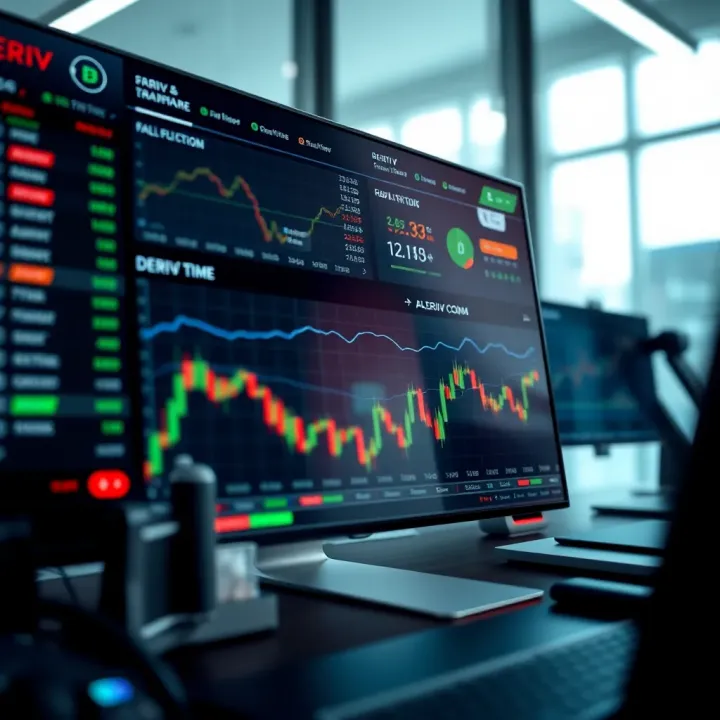
Explore how Nigerian traders can boost their skills by combining TradingView's advanced charts 📊 with Deriv.com's reliable trading platform 💹. Learn practical tips now!
Based on 5 reviews